Download Cut Paste Photos free on android
APK file Cut Paste Photos 11.1.0How to install APK / APKS / OBB file on Android


Change photo background with single click.
Cut or copy people, animals, cars, and backgrounds into other photos and create new photo collages.
Want to remove photo background? Cut the people out and put them on another background. Want to remove people from photos? Then this is the app for you.
Missed someone in a family photo? Add them into photos without the need professional photo editing tools. This is the best copy paste tool for photos.
Cut Paste Photos comes with 100's of photo editing features. Main photo tools:
1. Cut Photos with AI Background Eraser: Cut photos or extract people or your pets from photo background. Auto Background Eraser removes background instantly and gives you photos you can paste on any background.
2. Copy Photos with Manual Copy: Copy photos using our Manual Photo Cut to cut out exactly the parts you want.
3. Advanced Photo Editor: Edit the cut photos for sharper, exact edges. Ideal to remove people or objects from photos.
4. Paste On Photos: Paste the cut photos on any backgrounds from your gallery. Add yourself into famous locations and travel to places you have never been to.
5. Photo Collages: Create your own collages by pasting cut photos on our custom backgrounds, or create freeform collages.
6. Color Pop: Our color splash tool lets you keep rich color saturation while changing the rest to black and white, to highlight the most important part of the photo.
7. Photo Clone: Paste multiple copies of people in photos to create a fun clone effect. Make sure to try Motion Effect along with Clone to try out various clone photo styles. Photo Mirror effects shows mirrored people repeating in photos.
8. Text In Photo: Use our advanced text editor to add text on photos or convert cut photos into text. Text On Photos and Collages include various fonts, textures, and advanced text styles.
9. Double Exposure: Create double exposure effects easily with our tool. Create double exposure with scenic nature photos.
10. Photo Filters: Create awesome Cut Paste Photos effects with photo filters including 100's of photo filters. Cut Paste Photo editor tools include transform features like Flip Photo Vertically and Flip Photo Horizontally.
Photo Source: Cut Paste Photo Effect now allows you to use photos from our vast image search and your own device gallery. Image Search lets you search photos from the web to cut and paste in your Photo Collage Editor.Photo Backgrounds now includes image search from the web, our top photo backgrounds that we licensed specially for you, and your own gallery photos.
Photo Stickers: 1000's of Photo Stickers included in the app.
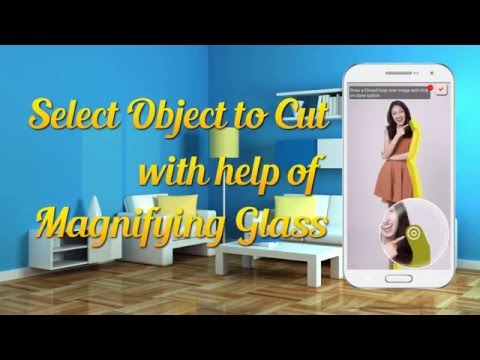
Cut Paste Photos with advanced tools like Advanced Photo Editor, Magnifying Glass, Collage Maker, Auto Background Eraser and more lets you create the best-looking photos and Photo Collages. Changing photo backgrounds is now just one click away.
Privacy Terms for cloud processing: https://dexati.com/privacycutpaste.html
Report any issues with AI Features at: https://dexati.com/reportai.html (Report from app using home screen using Menu at top right and clicking on "Report AI).
SDK updates.
- LicenseFree
- File nameCut Paste Photos
- File Version11.1.0
- Package namecom.km.cutpaste.util
- Size23.36 MB
- UploadedJuly 26, 2026
- Android6.0 or later

- CategoryPhotography
- DeveloperDexati
- Developer sitehttp://www.dexati.com
- Developer emailkumar@dexati.com
- md5 hash6a2e18df3c336e472c751270dca0f67b
- Architecture-
- Permissionsshow (10)
